
Open Demo Online | Source on GitHub
So a couple weeks ago Corridor Crew dropped their video about CorridorKey — an open-source, AI-powered chroma keyer that uses a transformer network to solve the green screen “unmixing problem.” The thing is genuinely impressive. It takes a raw green screen frame and a rough alpha hint, then predicts true foreground color and a clean linear alpha for every pixel, including all the nightmare stuff like motion blur, hair, and out-of-focus edges. They trained it on procedurally generated 3D renders with mathematically perfect alpha data. It outputs 16-bit and 32-bit EXR files for Nuke and DaVinci. Serious tool for serious work.
I actually installed a quanted version EZ-CorridorKey on my 4080 Super workstation and it does work. The keying results are legitimately great — better than anything traditional can do on difficult footage. But the premask step is a pain. You need to feed it a decent black-and-white outline of your subject, and getting that right is its own little project. For clean studio footage it’s fine, but the workflow isn’t exactly “drop a file and go”. The included GVM AUTO / SAM2 / MatAnyone2/ VideoMaMa etc. produced very underwhelming results for me and the tool crashed quite a bit.
That got me thinking. What if you just want to pull a quick key on a talking-head video and export it with alpha? What if you don’t want to install anything at all? What if you’re on a laptop with no dedicated GPU?
That’s how Green Difference Studio happened.
Standing on shoulders
I should give credit where it’s due. The original chroma key shader that got this project started came from Urban Pixel Lab’s Realtime Greenscreen Keyer (GitHub). Their WebGL shader was the foundation — the hue-based keying approach, the basic spill suppression logic, the general structure of doing chroma math in a fragment shader. From there it got extended pretty heavily with sampled key colors, curve-based threshold falloff, despill depth, choke/feather morphology, and all the other controls, but it wouldn’t exist without that starting point.
The whole thing was vibe-coded
I’m not going to pretend this was some carefully architected project with a Jira board and sprint planning. I opened Claude Code, described what I wanted, and started iterating. Every feature in the app was built through conversation — me describing what I needed, sometimes yelling at the screen when the mute button wouldn’t toggle (SVG hidden attribute, never again), and watching the code take shape in real time.
The shader pipeline, the tracker system, the background frame cache, the export pipeline — all of it came from back-and-forth with an AI pair programmer. Some sessions were smooth. Others involved me typing in all caps because the video was blasting audio during frame extraction for the third time. That’s vibe coding. You ride the wave and sometimes the wave rides you.
No Figma mockups. No PRD. No architecture diagram. Just “I want this thing to exist” and then making it exist, one conversation at a time.
What it actually does
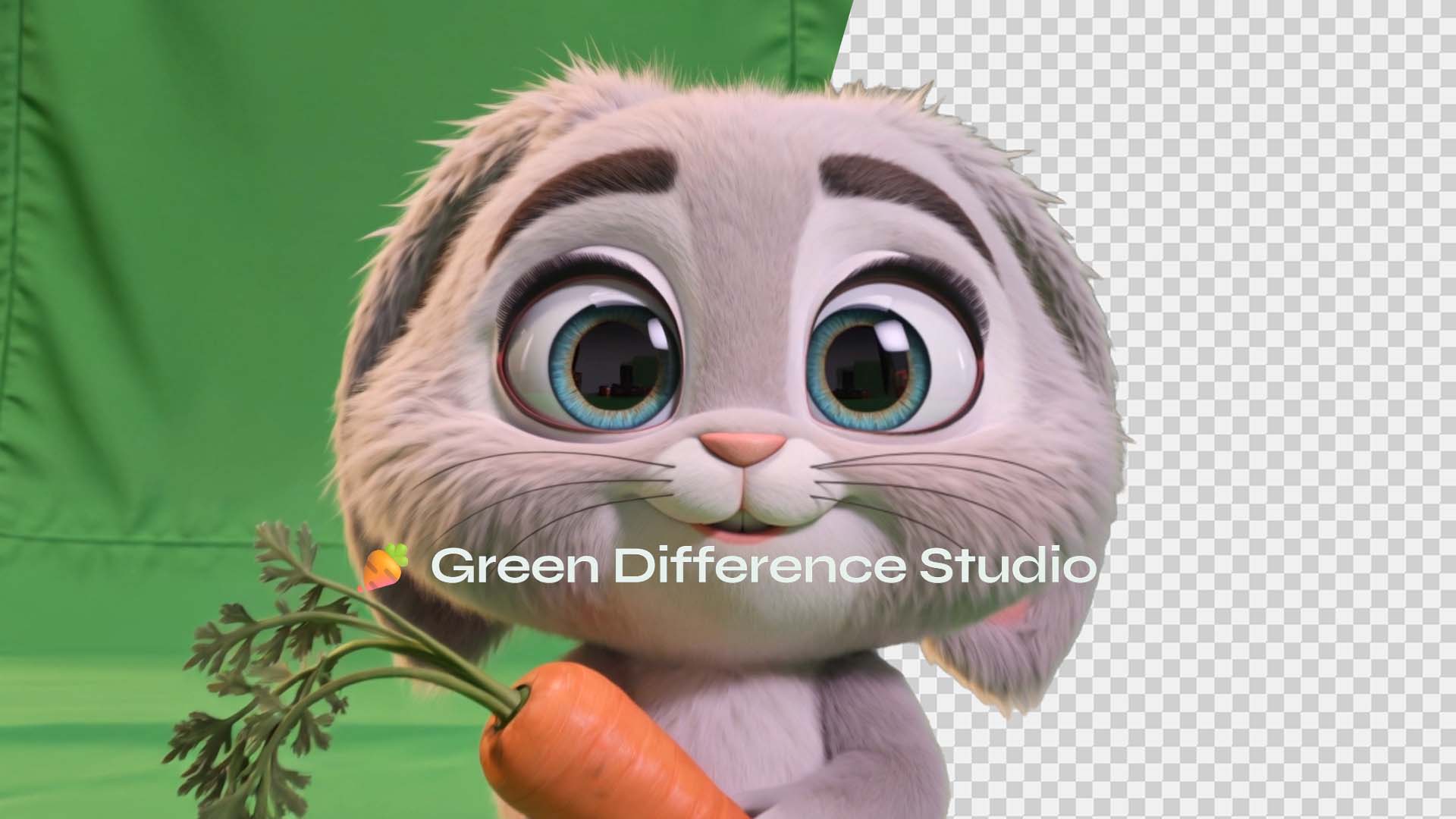
Green Difference Studio runs entirely in your browser. You drop a video in, and it keys out the green screen in real time using a WebGL fragment shader powered by Three.js. No server, no upload, no waiting for a cloud GPU. Everything stays on your machine.
The keying controls are what you’d expect from a decent compositor — hue range, saturation floor, light range, edge feather. There’s spill suppression with despill lift to recover natural skin tones. You can preview the alpha channel to check your matte quality, and use choke/feather to clean up edges.
But the part I’m most happy with is the tracker system. You can place tween trackers (static points you drag per frame) or mouse trackers (hold mouse on the subject while the video plays, release to stop tracking). Each tracker can be set to Keep or Discard mode with flood-fill-based alpha masking. There’s an “auto invert remaining” toggle that makes everything outside the tracked region transparent (or opaque, depending on mode). It’s not automatic motion tracking — that’s on the roadmap — but it’s surprisingly usable for isolating subjects in tricky shots.
Export gives you WebM with embedded alpha channel, a standalone grayscale matte, or PNG for single frames. The frame cache builds progressively in the background after upload, so you’re never staring at a loading bar. You see the first frame immediately and start working while thumbnails populate the timeline behind the scenes.
Why browser-based matters
CorridorKey requires a minimum 24GB VRAM GPU. That’s a $1,500+ graphics card. It outputs EXR sequences meant for professional compositing software that costs hundreds or thousands of dollars a year. Even with EZ-CorridorKey making the install easier, you’re still dealing with Python environments, model downloads, and the premask workflow.
Green Difference Studio requires Chrome. That’s it.
It won’t give you the same quality on difficult shots — ML-based unmixing is fundamentally more capable than traditional threshold-based keying for things like hair detail and translucent materials. But for the vast majority of green screen footage — talking heads, product shots, simple VFX work — a well-tuned traditional keyer running at GPU speed in a browser tab gets the job done. And it gets it done right now, on whatever laptop you happen to have.
The tech under the hood
The rendering pipeline is a Three.js fragment shader that does all the chroma math on the GPU. Spill suppression, edge feathering, alpha generation — it’s all happening in GLSL. The tracker flood fill runs on the CPU (Web Worker offloading is on the TODO list), and export uses the WebCodecs API for hardware-accelerated encoding with a MediaRecorder fallback for alpha-channel WebM.
Timeline thumbnails are built from a canvas-based frame cache that populates asynchronously using a separate hidden video element — this was one of the trickier problems to solve, because you can’t seek two different positions on the same video element simultaneously without the browser fighting you.
Other dependencies: GSAP for smooth tracker animations, iro.js for the color picker, noUiSlider for the range controls, and webm-muxer for standalone matte export.
What’s next
The README has a proper roadmap, but the highlights:
- Mask tools — brush, shape, polygon, and lasso masks for garbage mattes
- Automatic motion tracking — Lucas-Kanade or correlation-based point tracking
- Image sequence export — PNG+Alpha and JPG matte sequences
- Better despill — edge-aware spill suppression for hair and translucent materials
- Undo/redo — full history stack
- Web Worker flood fill — the CPU-heavy tracker math should be off the main thread
And the dream entry at the bottom of the list: CorridorKey in the browser. A transformer model running in WebGPU doing neural green screen removal with no install. Probably not happening tomorrow. But WebGPU is maturing fast, and ONNX runtime for web is getting better every month. One day, maybe.
This transparent WebM was generated with an AI text-to-video model prompted to render on a green screen, then keyed with Green Difference Studio — completely free, right in the browser. Works great with any text-to-video or image-to-video tool if you prompt it to shoot on a green screen. Free transparent videos, no need to wait for the big guys to support alpha channel. 😉
About the dream entry at the bottom of the list: CorridorKey in the browser. A transformer model running in WebGPU doing neural green screen removal with no install. Probably not happening tomorrow. But WebGPU is maturing fast, and ONNX runtime for web is getting better every month. One day, maybe.
And if Corridor Crew ever reads this — thanks for the inspiration. CorridorKey is genuinely amazing work and I hope it keeps pushing the industry forward. This little browser tool exists because you made me want to build something.